Interactive Guide
How to Send Your First Email in 5 Minutes
Essential guide to configuring a script, template, scenario, and campaign in doMail UI to successfully send your first email.
1. Script Creation
Create a script and enable email communication processing.
- In the menu, navigate to Configuration → Scripts and click Add Script.
- Fill in the Script Name (e.g.,
invoice_notification_script). - Enable the Send Email toggle (enabled by default).
- Click the green Save button.
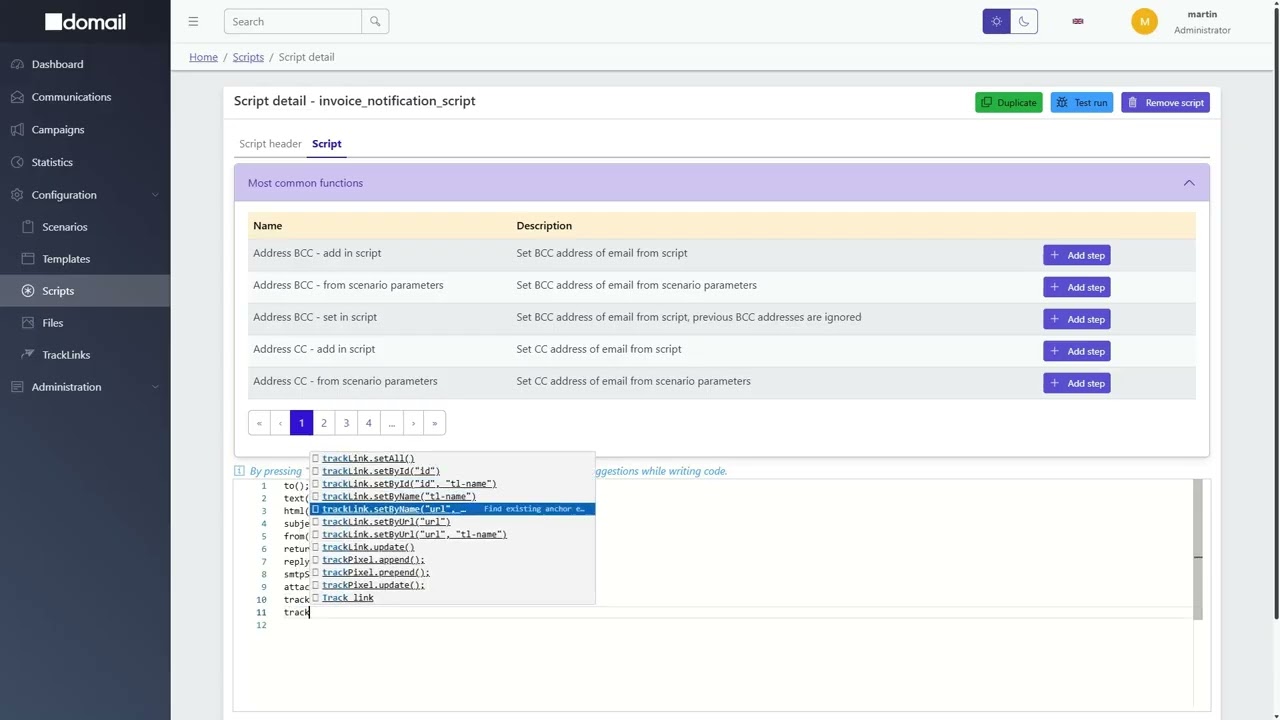
Watch Video Guide
Pre-configured Setup ("Script" Tab):
After saving, default execution logic is generated automatically. No immediate changes
are required, but you can add custom plugins later (e.g., trackLink(), bcc(), etc.).
to(); // address TO from request
text(); // set text of email from request
html(); // html text of email from request
subject(); // subject from request
from(); // address FROM
returnPath(); // return path
replyTo(); // reply to address
smtpServer(); // use standard smtp server
attachment(); // attachments from request
trackPixel(); // set track pixel when it is in HTML