


Regular email sending often involves the same tasks: preparing content, adding recipient data and arranging for sending at a chosen time. In doMail, you can use a shared template, supply specific values through source data and schedule the campaign to start later. Each recipient can receive a message with their own content without preparing every email manually.
Schedule your campaign
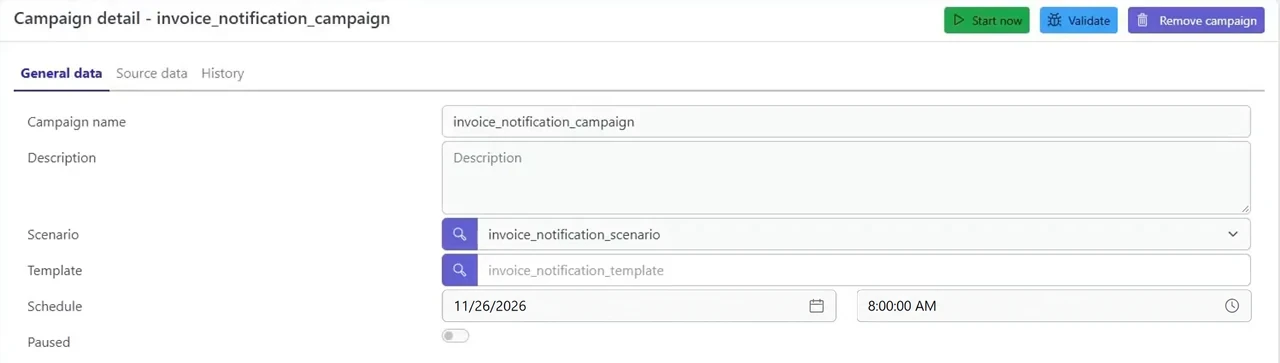
You can prepare a campaign in advance and set its start date and time. This is useful for a regular newsletter, an announcement about an upcoming change or monthly summaries. You do not need to wait at the application for processing to begin.
When scheduling, check that the source data is ready and the campaign is not paused. The scheduled time marks the start of campaign processing. Individual messages are then created and sent, so recipients may receive their emails at different times.
Personalize content for each recipient
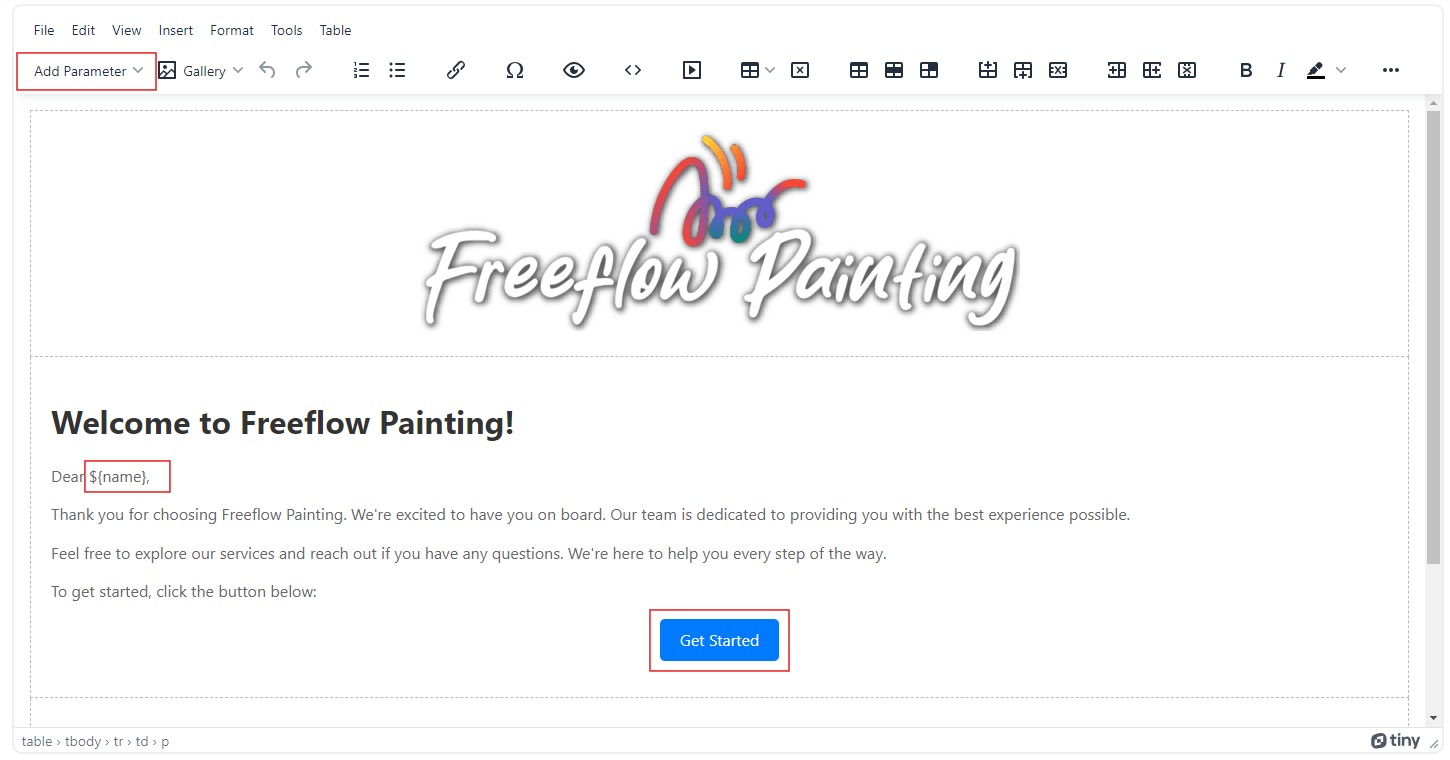
Personalization can include a greeting, order number, due date, amount or custom offer text. The template contains parameters that are replaced during processing with specific values from the source data. You can use the same email design for an entire batch while adapting each message to the supplied data.
For monthly summaries, for example, the message layout and explanatory text can remain the same, while the customer's name, reporting period and their specific values come from the data. For the following month, you can supply updated data and use the same template.
You can also import your own HTML template. For more complex data, additional CSV sources can be linked to the main source through a selected column. These options let you work with existing designs and the structure of your data.
Prepare data for your chosen audience
To send different content to different customer groups, prepare the appropriate selection of recipients and data for each group. Supply the campaign with the data for that particular mailing. The selection might be based on the language of communication, the service used or the type of announcement.
Before using the data, check that each recipient has the values required to build their message. A missing name, an incorrectly assigned amount or an outdated due date will affect the content even when the campaign itself is configured correctly. For your next mailing, you can use the prepared scenario and template with updated data.
Review the resulting messages
Before sending the full batch, try a few records using your own email addresses. Include records with different values to see how the greeting and other content change. In the received email, check the subject, the custom values inserted into the message, the links and how the email displays.
After starting the campaign, review the created messages and their statuses in the communications list. To compare counts, delivery results and recorded responses later, use communication statistics. When comparing mailings, also consider differences in the recipients selected and the message content.
For the steps from preparing a template to starting a batch, see How to create and launch an email campaign in doMail.
A prepared scenario, a reusable template and current data simplify subsequent mailings. Scheduling helps you arrange when they start, while personalization inserts the values that belong to each recipient into their message.